· TongFlow Team · Announcements · 2 min read
TongFlow Now Integrates SCAIL-2 — Controlled Character Animation on a GPU
The official tongflow-modal-scail2 plugin brings end-to-end controlled character animation to the canvas: drive a character image with any reference video, on a single A100 via Modal.
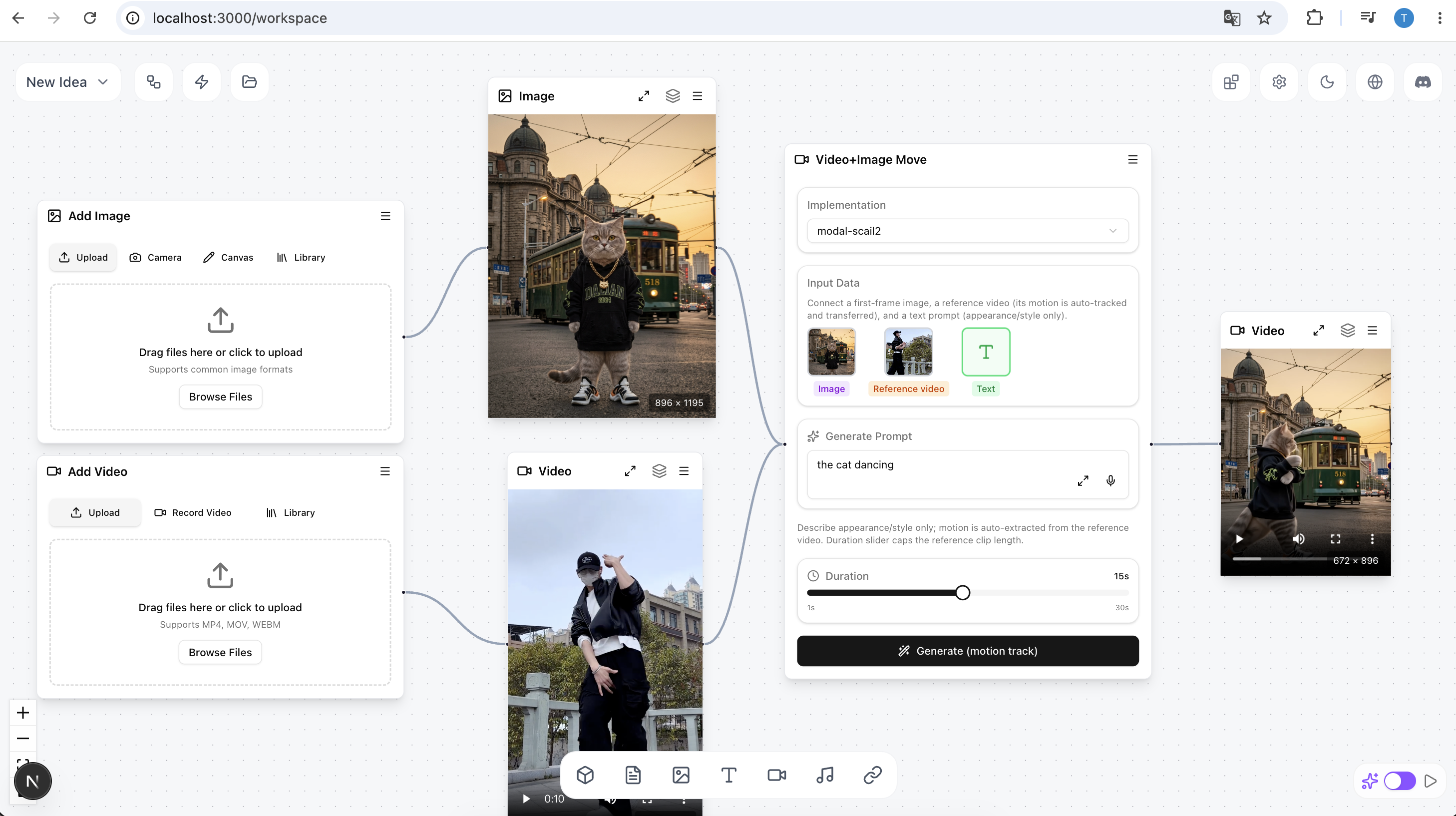
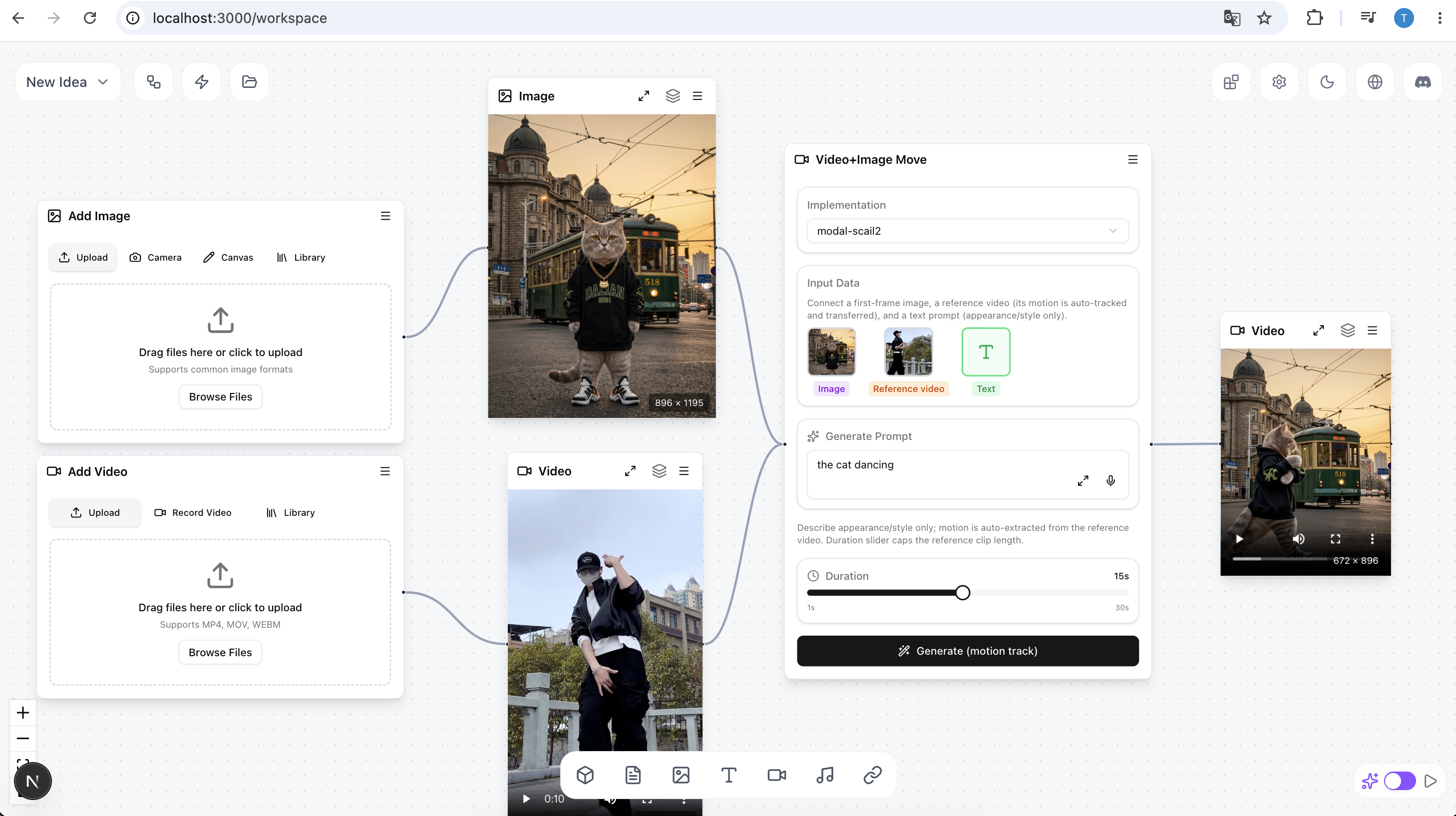
TongFlow now integrates SCAIL-2. The official tongflow-modal-scail2 plugin brings end-to-end controlled character animation to the canvas — give it a character image and a driving video, and it animates the character to match, GPU-powered via Modal.
What you get
SCAIL-2 (zai-org/SCAIL-2) is a Wan2.1-based model for controlled character animation. The plugin wires it up as two ready-to-run nodes — the same two slots as tongflow-modal-wan-animate, so you can swap either backend into an existing workflow:
- Animation (
video-image-gen-video-move) — make your character perform the motion from a driving video. - Replacement (
video-image-gen-video-mix) — replace the character in a video with yours.
Feed in a character image + a driving video; the output is an mp4 with the driving audio preserved. Under the hood it runs headless ComfyUI + WanVideoWrapper + WanAnimatePlus + the core SAM3 nodes, which auto-generate the colored masks — no manual rotoscoping. A single boolean in the shared graph switches between the two modes.
Built to fit one GPU
The plugin runs the fp8 SCAIL-2 14B DiT with BlockSwap, keeping the whole pipeline inside a single A100-80GB. A ~5s clip at 896px long-edge takes roughly 9 minutes end to end (fp8, 6-step lightx2v, BlockSwap 10), cold-start model load included. Output length follows min(driving video length, duration), and tuning knobs for VRAM, attention mode, and warm-keeping are documented in the plugin README.
Start for free
The plugin runs on Modal, which gives every new account up to $30/month of free GPU compute on real A100-class hardware — enough to animate plenty of clips without owning a GPU. You’ll need three credentials in TongFlow Settings: MODAL_TOKEN_ID, MODAL_TOKEN_SECRET, and an HF_TOKEN authorized for the gated Comfy-Org/sam3.1 weights (accept its license first).
Try it
- Install the plugin — open the plugin manager in TongFlow and install
tongflow-modal-scail2. Usable immediately, no restart. - Add your credentials in Settings (Modal tokens +
HF_TOKEN). - Drop a character image and a driving video on the canvas, pick Animation or Replacement, and run. The platform auto-deploys to Modal on first use.
New to TongFlow? Start with the v0.1.0 release post, grab the desktop app from Releases, or jump into the hosted studio at app.tongflow.com. If this is useful, a star on GitHub helps a lot.
Expand your imagination, stretch your ideas — give it a try.